Registering our Service
Registering the service can also be done in the Service Builder transaction. This only needs to be done once.
- Expand Service Maintenance folder
Right click on
GW_HUBand choose Register.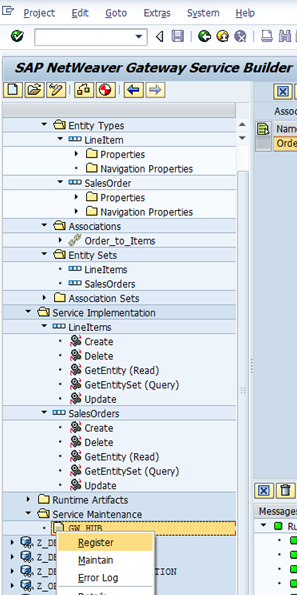
Choose system alias
LOCALand Continue.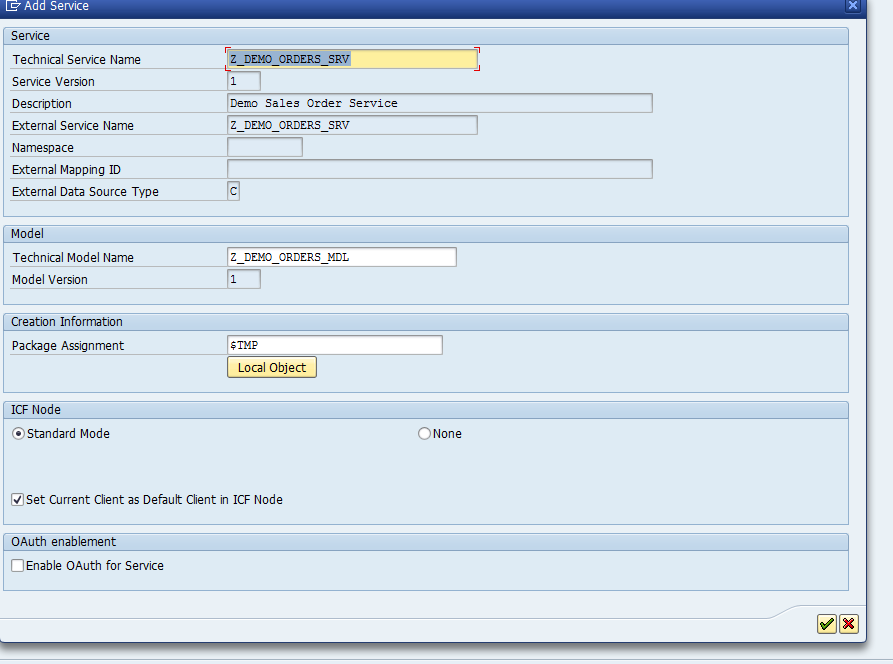
This registers the service in SICF and you can now see it in that transaction.
In
SICF, navigatesap>opu>odata>sap
At this point, you can now access the metadata document at the service endpoint.
http://service.com:1234/8102/sap/opu/odata/sap/Z_DEMO_ORDERS_SRV/$metadata
This should give you an XML (only content type supported) response of all the entities, entity sets, and operations allowed in the service.
Now, your web developers can look at the service while we work on mapping the CRUD-Q (Create, Read, Update, Delete, Query) operations from the entity to the RFC in the next section.